
A TV-first interface
Large posters and a clearly visible focus, readable even from the couch.
JIPTV is coming soon to Android TV and Google TV: TVs with Google built in (such as Sony, TCL and many others), Chromecast with Google TV and Android TV boxes. Your M3U playlists and Xtream accounts will become a catalog you browse with the remote.
Coming soonThe version for this device is coming soon. In the meantime you can use JIPTV on iPhone, iPad, Apple TV, Mac or in your browser with the web app.
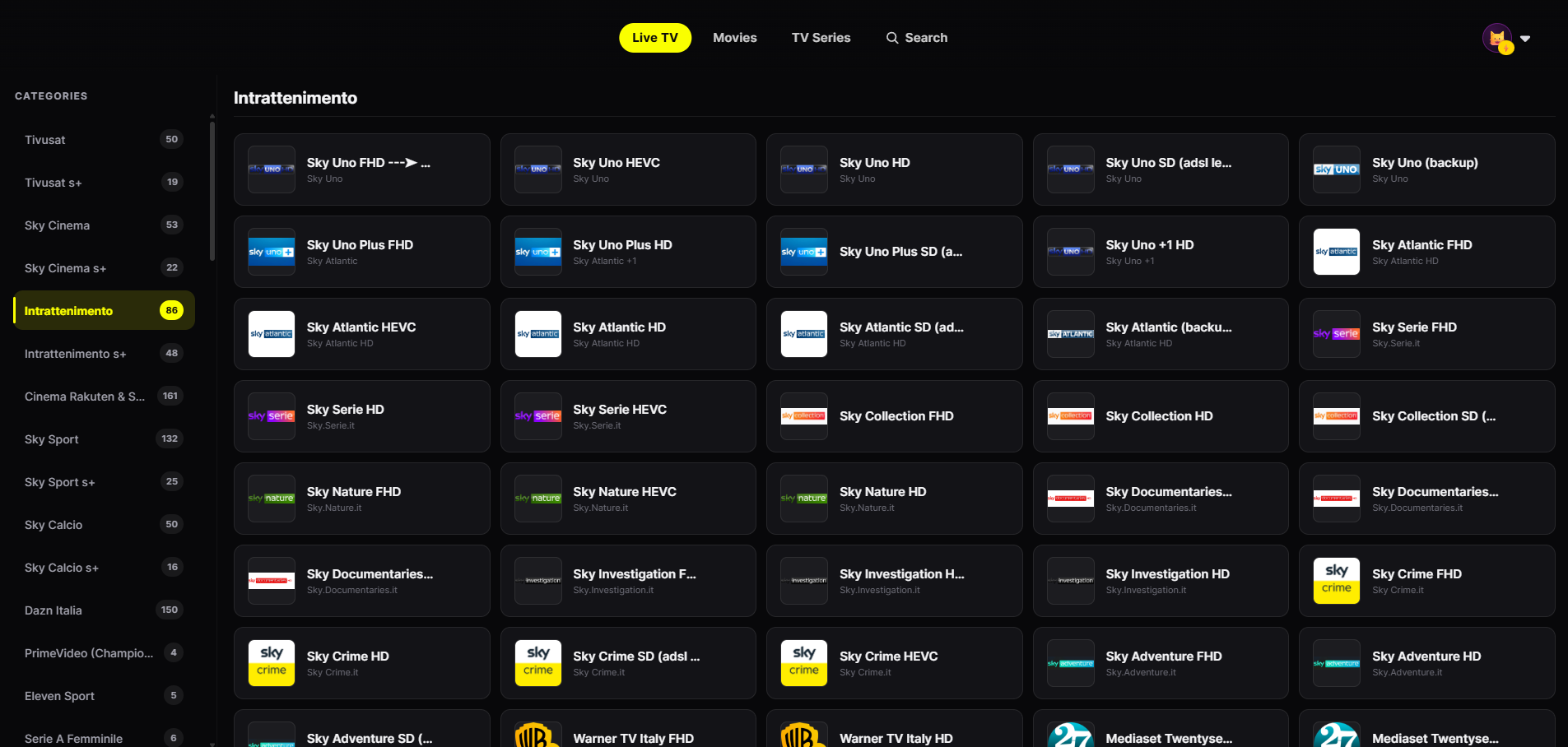
It will have the same living-room interface as the Apple TV version.
Large posters and a clearly visible focus, readable even from the couch.
Every screen will work with the remote arrows — no keyboard needed.
Channels grouped by category with smooth zapping.
Separate favorites and history for everyone at home.
Once released, search "JIPTV" in the Google Play Store on your TV or box. The player subscription will be activated inside the app.
Enter your provider's M3U link or Xtream credentials in Playlist Management.
Live TV, movies and series organized, with continue watching synced with your other devices.
Android TV is Google's operating system for TVs and set-top boxes; Google TV is its evolution, with a different interface but the same Play Store. For an IPTV app the difference matters little: what matters is that it is designed for the remote, not a phone app blown up to TV size.
JIPTV for Android TV will have the same living-room interface as the Apple TV version: large posters, a clear focus state and Live TV grouped by category.
If you have an Apple TV, JIPTV is already available for tvOS. Versions for Fire TV Stick and for Samsung and LG Smart TVs are coming too.
Either way, JIPTV remains a player: it includes no channel or content.
JIPTV is already available across the whole Apple ecosystem: iPhone, iPad, Apple TV and Mac. Windows, Android, Android TV, Fire TV and Samsung and LG Smart TVs are coming soon.
The Android TV and Google TV version is coming soon to the Google Play Store. On the TV, JIPTV is available today for Apple TV.
Chromecast with Google TV runs the same system as Google TV sets: the Android TV version of JIPTV is designed for these devices too.
One you install from your TV's Play Store, designed for the remote, compatible with M3U and Xtream, and with no content sold alongside the player. These are the criteria JIPTV is built on.
No. JIPTV is only a player: it only plays sources from providers you are authorized to use.